

FreeCAD — The Complete Guide: What It Does, Who It Suits and What Is Missing
FreeCAD is probably the most important project in free engineering software: a full parametric 3D modeller, open source, with no subscription, no registration and no restriction on commercial use. If you tried it a few years ago and gave up, it is worth coming back. Since version 1.0 its best-known problem — models "breaking" when you change early geometry — has largely been addressed, and a built-in assembly workbench has been added.

FreeCAD
FreeCAD Project
Open-source parametric 3D modeller with workbenches for solid modelling, FEM, drafting and BIM.
Get it from the vendorWhat FreeCAD actually is
FreeCAD is built from "workbenches", and each one is almost a program in its own right:
- Part Design — sketch-based, history-based part modelling, as in SolidWorks or Inventor: Pad, Pocket, Revolve, Fillet, patterns.
- Sketcher — 2D sketches with geometric and dimensional constraints.
- Assembly — assemblies with joints between parts.
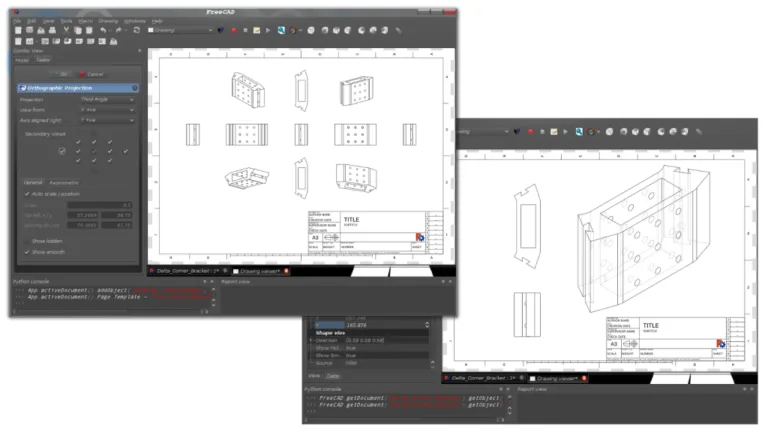
- TechDraw — manufacturing drawings: views, sections, dimensions, parts list.
- FEM — finite element analysis with CalculiX as the solver.
- BIM — building modelling and IFC files.
- CAM — toolpath generation for CNC.
Files are saved as .FCStd, and import and export cover STEP, IGES, STL, DXF, OBJ and IFC.
Who it suits
Mechanical engineers and independent designers who need real parametric modelling without an annual licence. Students who want to learn history-based modelling in a tool that stays available after graduation. Structural engineers who need to model a steel part, an anchoring detail or a bracket and send it to FEA in the same program.
What's missing
To be fair: FreeCAD takes learning. The interface is less polished than SolidWorks, there are several ways to do the same thing, and some workbenches are more mature than others. It has no advanced surfacing on the level of Rhino or CATIA, and very large models with thousands of parts get slow. Support is community-based — forum and documentation, not a service desk.
How to start properly
1. Download only from the official site (the link is on our software page). 2. Start with Part Design and fully constrained sketches — a green sketch is a fully defined sketch. 3. Build each part on a single Body. 4. Only once the parts are stable, move on to Assembly and TechDraw. 5. For parts that need a strength check, export STEP to PrePoMax or use the FEM workbench directly.

PrePoMax
University of Maribor
Full graphical front end for CalculiX — meshing, materials, loads and results in one window.
Get it from the vendorAlternatives and companion tools
If you prefer a simpler interface, SolveSpace is a small, fast parametric modeller. If you think in code, OpenSCAD and CadQuery build models from a script. And for personal, non-commercial use, Onshape Free runs in the browser — but files there are public.

SolveSpace
SolveSpace Project
Lightweight parametric modeller with a strong constraint solver, for mechanical parts and mechanisms.
Get it from the vendor
OpenSCAD
OpenSCAD
Code-based 3D modelling where every dimension is a real parameter. Popular in 3D printing.
Get it from the vendor
CadQuery
CadQuery Project
Parametric CAD scripted in Python, on a proper solid-modelling kernel.
Get it from the vendor
Onshape (free plan)
PTC
Parametric CAD in the browser with version control. On the free plan every document is public.
Get it from the vendorBottom line
FreeCAD is the only tool that gives a complete package — modelling, assembly, drawings, FEA and CAM — completely free and for any use. It takes a few weeks of investment, but the investment stays yours.