

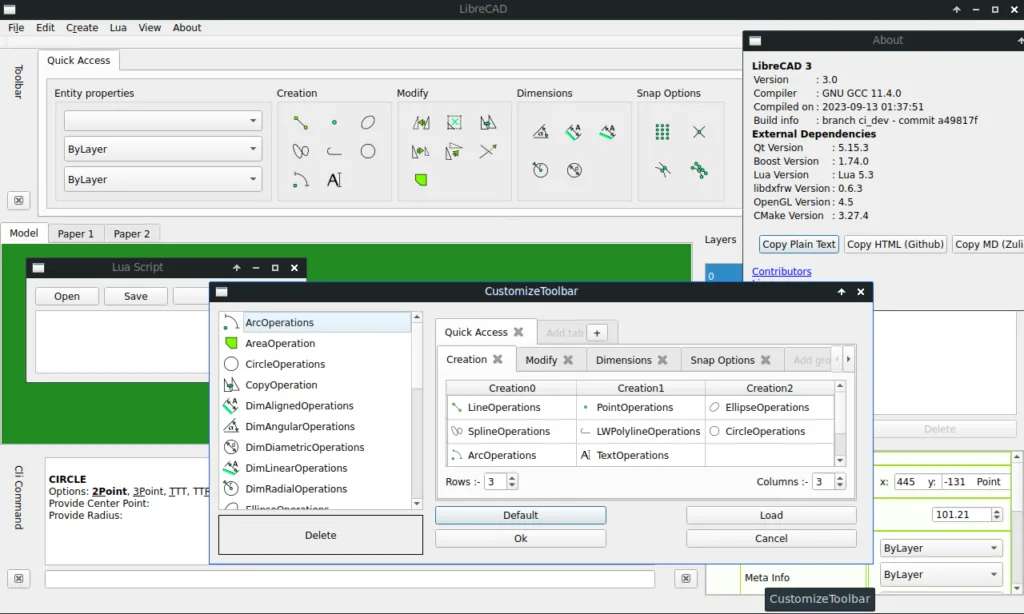
LibreCAD — The Complete Guide: Free 2D Drafting as an AutoCAD LT Alternative
LibreCAD is lightweight, open-source 2D drafting software that runs on Windows, macOS and Linux. It does not try to be full AutoCAD — it tries to be a good, fast drafting tool that is completely free. If you need to open a plan, mark it up, measure, add a detail or draw a simple layout, it is usually enough.

LibreCAD
LibreCAD Project
Lightweight 2D drafting with layers, blocks and dimensions, built around the DXF format.
Get it from the vendorWhat you can do in LibreCAD
- Drafting — lines, arcs, circles, ellipses, polylines, splines, with snaps to endpoints, midpoints, centres and intersections.
- Layers and blocks — organisation by layer with colour and linetype, and a block library for repeated elements.
- Dimensions and text — linear, radial and angular dimensions, leaders, multi-line text and hatching.
- Printing — printing to scale and export to PDF, SVG and image.
DXF and DWG — what to know
LibreCAD's native format is DXF, and it works well with it. DWG files can be opened in most cases, but not saved back as DWG. In practice, when you receive a DWG from an architect, you open it, work, and send back a DXF — and AutoCAD opens it without trouble. Check complex files with many special objects, because not every AutoCAD entity is supported.
What's missing
No 3D at all. No Paper Space and Viewports like AutoCAD, so sheets are more limited. No rich command line and no LISP. Performance drops on very large files.
Who it suits
Engineers and site supervisors who need to open and update drawings, first-year students, tradespeople drawing details, and anyone preparing DXF files for laser, plasma or CNC cutting.
Alternatives by need
If you need more 2D tools, QCAD (Community Edition) — the project LibreCAD originally forked from — offers more. If you also need 3D — FreeCAD. For electrical drawings and panels — QElectroTech. And to view IFC from a BIM model — Open IFC Viewer.

QCAD Community Edition
RibbonSoft
Mature 2D drafting. The Community Edition is free; DWG and the parts library browser are reserved for the paid version.
Get it from the vendor
FreeCAD
FreeCAD Project
Open-source parametric 3D modeller with workbenches for solid modelling, FEM, drafting and BIM.
Get it from the vendor
QElectroTech
QElectroTech Project
Draws electrical panel and control diagrams from standard symbol libraries.
Get it from the vendor
Open IFC Viewer
Open Design Alliance (ODA)
A free, light IFC viewer, available for Linux and macOS too.
Get it from the vendorBottom line
LibreCAD will not replace AutoCAD in an office designing large projects, but it can save an LT licence on most seats that only view, measure and update.