

OpenFOAM — The Engineer's Guide: What It Is, How You Work With It and Why It Is Not Simple
OpenFOAM is the foundation of most of the free CFD world: an open-source library for solving flow, heat transfer, multiphase flow, combustion and more. Automotive, energy and aerospace companies use it, and commercial cloud services are built on it. But it is not "software" in the usual sense — there is no main window with buttons. This guide covers what to know before you start.

OpenFOAM
OpenFOAM Foundation
Comprehensive CFD solvers — flow, turbulence, heat transfer and multiphase. Text-file driven, no GUI.
Get it from the vendorTwo distributions, one name
There are two active branches: openfoam.org from the OpenFOAM Foundation, and openfoam.com from OpenCFD. Both are open source and free, with differences in solvers and in the syntax of some files. For beginners: pick one and stick with it, and make sure the tutorials you read match that branch.
What working with OpenFOAM looks like
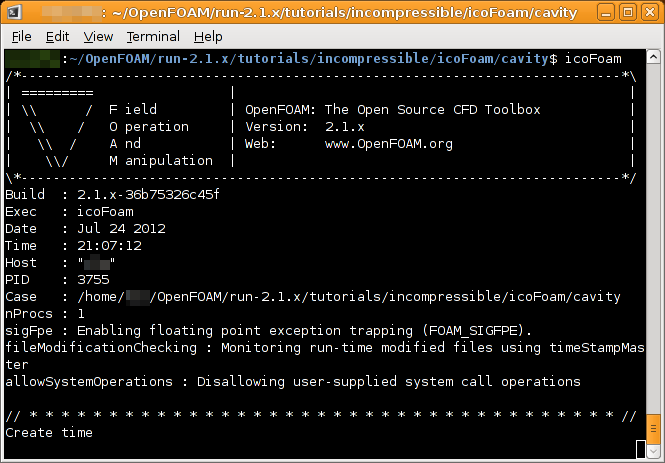
Every simulation is a folder (a "case") with three subfolders: 0 for initial and boundary conditions, constant for the mesh and material properties, system for solution settings. You work by editing text files and running commands in a terminal:
- blockMesh — a basic mesh made of blocks.
- snappyHexMesh — a mesh around complex geometry from an STL file.
- checkMesh — mesh quality check. Don't skip it.
- The solver — for example simpleFoam for steady incompressible flow, pimpleFoam for transient flow, interFoam for two liquids with a free surface.
Results are opened in ParaView: streamlines, velocity and pressure fields, slices and animations.

ParaView
Kitware / Sandia / Los Alamos
Large-scale simulation post-processing — slices, streamlines and animation.
Get it from the vendorInstallation
OpenFOAM runs natively on Linux. On Windows the recommended route is WSL (Windows Subsystem for Linux) — you install Ubuntu inside Windows and OpenFOAM inside it. There are also Docker and macOS builds.
What's missing
There is no official graphical interface, the learning curve is steep, and error messages are not always clear. There is no built-in commercial support. Most importantly: it is easy to get a colourful, wrong result. Without understanding meshes, turbulence models and boundary conditions, do not trust the output.
Ways to shorten the road
Start from the tutorials that ship with the installation and change them step by step. Build complex meshes in SALOME or Gmsh. If you prefer the browser, SimScale Community offers cloud CFD with no installation — but projects there are public. Other open alternatives: SU2 for aerodynamics and Code_Saturne for industrial flow.

SALOME
CEA / EDF / OPEN CASCADE
Geometry, meshing and post-processing platform for FEA, around external solvers.
Get it from the vendor
Gmsh
Gmsh Project
FEA mesh generator with built-in geometry and scripting — standard infrastructure for open numerical work.
Get it from the vendor
SimScale (community plan)
SimScale GmbH
CFD and FEA simulation in the cloud from the browser. Community plan limited in compute hours and public.
Get it from the vendor
SU2
SU2 Foundation
Multiphysics CFD with adjoint-based design optimisation — systematic shape improvement.
Get it from the vendor
Code_Saturne
EDF
General-purpose CFD from EDF — turbulence, heat transfer, combustion and multiphase, with a GUI.
Get it from the vendorBottom line
OpenFOAM is a professional tool on the level of commercial CFD software, free and with no limit on core count. The price is learning time — and whoever invests it gets a tool with no ceiling.