

OpenSCAD — The Complete Guide: Free Parametric 3D Modelling in Code
OpenSCAD is open-source 3D modelling software with an approach unlike any other CAD program: you don't draw with the mouse — you write the part. A cube, cylinder and sphere are combined, subtracted and moved by commands, and every dimension is a variable. Change the bolt diameter on one line and the whole part updates.

OpenSCAD
OpenSCAD
Code-based 3D modelling where every dimension is a real parameter. Popular in 3D printing.
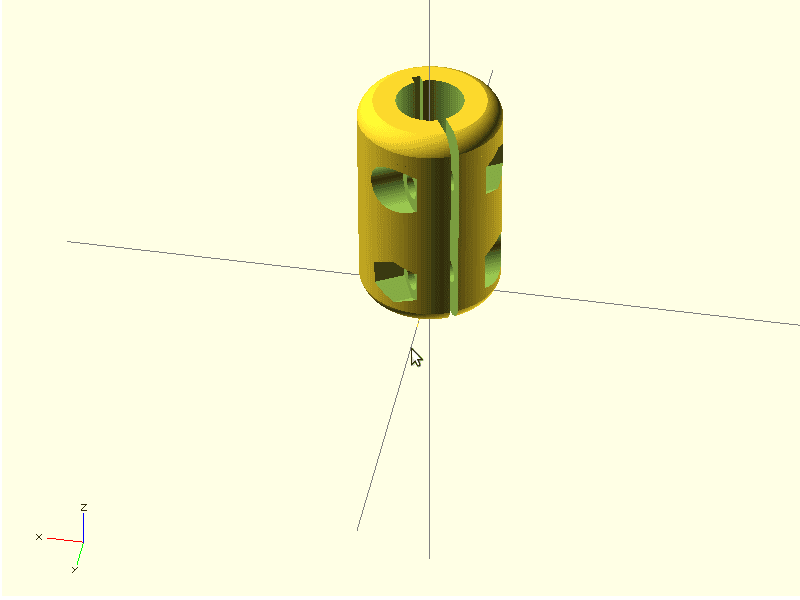
Get it from the vendorWhat a model looks like
The basis is constructive solid geometry (CSG): primitives (cube, cylinder, sphere) and operations between them — union to join, difference to subtract (a hole, for example), intersection to cut — plus operations such as linear_extrude to extrude a 2D shape and rotate_extrude to revolve it. Modules let you build a component once and reuse it with different parameters.
Why engineers like it
- Real parametrics — a bracket for 4 pipe sizes is the same file with 4 values.
- Reproducibility — the file is text: you can version it in Git and see exactly what changed.
- Customizer — an interface that shows parameters as fields, so people who don't code can change dimensions too.
- Export — STL and 3MF for printing, and DXF and SVG for laser cutting from 2D shapes.
What's missing
No mouse drawing and no constrained sketches. Fillets and complex chamfers are awkward. The output is a mesh (STL), not a precise solid, so there is no STEP export for manufacturing drawings or precise FEA. On large models the final render can be slow.
Who it suits
3D printing users, designers of brackets, enclosures and simple parts that vary by size, and engineers who are comfortable thinking in code.
Alternatives and companion tools
For code-based modelling with STEP export — CadQuery in Python or JSCAD in JavaScript. For graphical parametric modelling — FreeCAD or SolveSpace. For print preparation — PrusaSlicer or UltiMaker Cura.

CadQuery
CadQuery Project
Parametric CAD scripted in Python, on a proper solid-modelling kernel.
Get it from the vendor
JSCAD
JSCAD Project
Build 3D models by writing code, in the browser or from the command line.
Get it from the vendor
FreeCAD
FreeCAD Project
Open-source parametric 3D modeller with workbenches for solid modelling, FEM, drafting and BIM.
Get it from the vendor
SolveSpace
SolveSpace Project
Lightweight parametric modeller with a strong constraint solver, for mechanical parts and mechanisms.
Get it from the vendor
PrusaSlicer
Prusa Research
Turns a 3D model into printable G-code, with full parameter control.
Get it from the vendorUltiMaker Cura
UltiMaker
The most widely used slicer — ready profiles for almost any printer.
Get it from the vendorBottom line
For parts that vary by size and for 3D printing, OpenSCAD is one of the fastest and most precise routes — for free.